DesignCurves

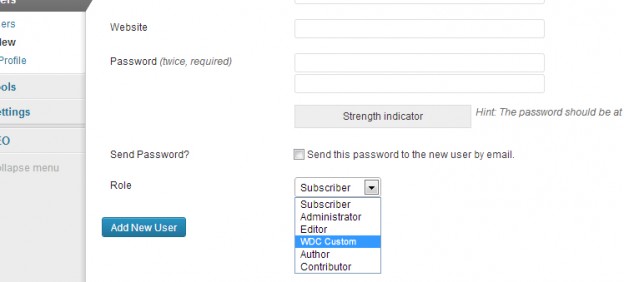
How To Create a New Role in WordPress?

WordPress integrates six default roles: Administrator, Editor, Contributor, Author, subscriber and sixth multi-role: Super Admin which have all privileges under WordPress blog.

In this tutorial we will see how to create a new role for your website subscribers and how to display the content according to the new role.

Why would you need to create a new role in WordPress blog?
Apart from enhancing the WordPress security, we could give you a lot of reason to create a new role for subscribers. However in this tutorial we will give you one good example on how to keep the default subscriber role but also create a premium subscription to monetize your blog. So if you have a blog where you want to give access to certain articles or special offers only to people to have paid monthly subscription for example, they can have this custom-built new role in WordPress blog.

To create this new role (Premium Subscription) in WordPress you will need to add the following code in function.php file of your WordPress theme:

// Add a role
add_role(‘premium_user’, ‘Premium Subscription’, array(
‘read’ => true, // true : Allow reading of article page
‘edit_posts’ => false, // false : Forbidden to add articles or pages
‘delete_posts’ => false, // false : Forbidden to remove articles or pages
));

Add_role : premium_user identifier will be our new role and Premium Subscription is the name of the role that I attribute to my future subscribers who want this subscription.

…

How To Create a New Role in WordPress? Read More »
Creating a New WordPress Website

Top Tips for Creating a New WordPress Website

WordPress is the world’s most popular content management system. Some experts estimate that over 30% of the world’s websites are built on the WordPress platform, which should give you some indication of how easy it is to use, how good its features are and how beginner friendly it is.

*Note that this article will focus on WordPress.org, NOT WordPress.com.

Although WordPress is very beginner friendly, it’s still hard to create your own website from scratch if you’ve never done it before. Sure, you don’t need to have any coding or web design experience, and pretty much anyone can build an attractive, functional website in the modern world, but it certainly helps if you have some idea to expect before you start.

With this in mind, we’ve put together a list of our top tips for building a new WordPress website. They include:

Create a ‘learning’ site first:

Sure, WordPress is easy to use. However, you still need to learn how to use it. One of the best ways to do this is to create a simple website that you can play around with and edit without restrictions. Explore the many functions of the WordPress dashboard, and try and learn about the different tools and plugins that are available to you. Doing this will help you build your actual website properly from the start.

…

Top Tips for Creating a New WordPress Website Read More »

Webdesign Block – 23 Examples and Resources

Following the advent of the grids in webdesign, layout based on blocks of content or blocks of images may be a good strategy for some web designs. That’s why we will show a brief overview of such sites and resources that will inspire you’re in order to create your site based on blocks.

Planning to launch website based on Webdesign block?

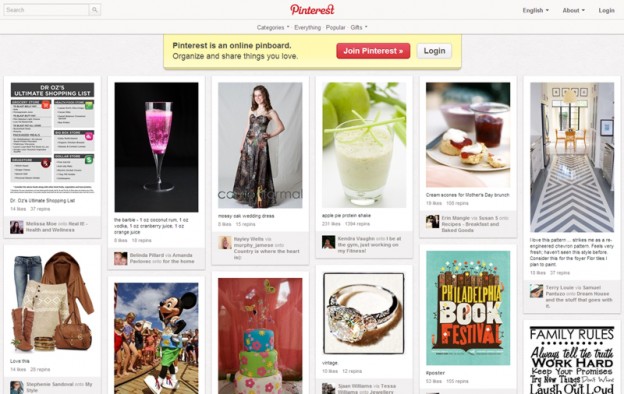
Layout based on modular blocks of content has become essential for portfolios, websites inspiration, in short they are often sites of a large batch of images. Made popular by sites like Pinterest for example, or inspired by applications like Flipboard or the Metro design on Windows Phone 8 devices, navigation is quick and easy, offering a lot of content which is scannable quickly.

The responsive web design also plays a crucial role: by definition a modular unit will adapt to the size of the user’s viewpoint. This type of layout is well suited to different mobile devices today.

Since this kind of web design is used extensively today, I offer a small selection of websites that are well made ​​with this layout, and then invite you to test different tools and plug-ins to create your own website in modular blocks!

We understand that implementing a block-based design requires both creativity and technical expertise. While this approach offers numerous benefits, it’s crucial to balance aesthetics with functionality. We recommend considering factors such as load times, user experience, and content hierarchy when adopting this style. Additionally, it’s important to ensure that your block-based design remains accessible to all users, including those with disabilities.

By combining innovative design principles with thoughtful implementation, we can help you create a website that not only looks stunning but also performs exceptionally across all devices and platforms. Whether you’re refreshing an existing site or starting from scratch, our team is here to guide you through the process of crafting a modular, responsive, and engaging web presence that truly represents your brand.

Webdesign Block – 23 Examples and Resources Read More »

WP_Query

How To Create WordPress Custom Queries with WP_Query?

WordPress custom queries are very powerful tool. If you want to display on your index.php or single.php file other content different from what the WordPress shows by default, just create WordPress custom queries using WP_Query. For those that don’t know, WP_Query is a class that allows you to create WordPress custom queries and retrieve your posts according to criteria defined via the parameter to the constructor of this class.

To use this application you must store it in a variable and use that object in WordPress loop. In this tutorial I will show you some great examples on how to use WordPress custom queries or WP_Query in your own WordPress projects.

WordPress Custom Queries Examples
This class can be configured as desired, and there are many possibilities available to you, here are some of WordPress custom queries examples I find most useful:

Example 1: Select all posts

$query = new WP_Query(array(‘post_type’ => ‘post’));

Example 2: Select all posts and all pages

…

How To Create WordPress Custom Queries with WP_Query? Read More »

How To Activate WordPress Links Manager? – WordPress 3.5

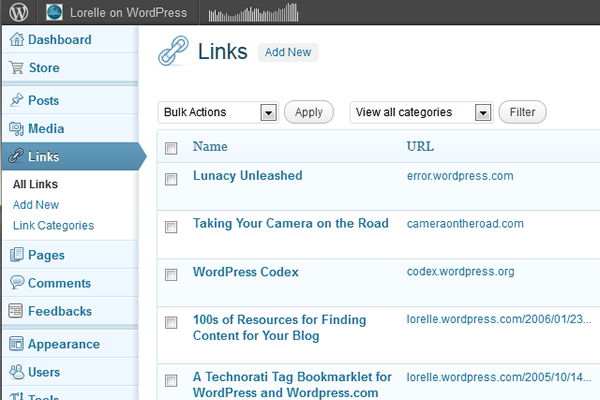
If you install WordPress 3.5 from scratch – without an update from an earlier version, you will no longer have the Links Manager and blogroll. Considered outdated and out of step with aspects of WordPress CMS, this link management tool can be easily reactivated in WordPress 3.5. That’s why we will show you how to activate WordPress Links Manager again and use it on your blog.

If you trying to reach the URL: http://example.com/wp-admin/link-manager.php, you will get an error message prompting you to download the WordPress Links Manager plugin.

WordPress Links ManagerWith WordPress Links Manager you were able to store a set of external links, or better known as blogrolls. These link you can put inside categories, they can be imported or exported, deleted…
Since the plugin does not contain a line of code, I suggest you to copy/paste directly into functions.php file of your theme, or better yet, to use global functions file (to avoid dependence of the theme).

…

How To Activate WordPress Links Manager? – WordPress 3.5 Read More »

23 White Website Design Inspiration For Web Designers

Before we start with the list of white website design inspirations, let me ask one simple question; white is a color? Responses differ according to the respondents (and their activities). For those working with inks and pigments, white is the absence of colour. But for others, white is the color obtained by addionnant all colors… what makes a color!

Whatever opinion or answer you have on that question, it is obvious that white is essential to the web designer palette, whether to fill the empty spaces of the web page, to reinforce the goal of a page, or to create typography on black background.

For this post, we selected website templates that are distinguished by their use of white. It would obviously for us to suggestion you Apple website as on great example for white website design inspiration … but you already know the address! Thats why we have selected another 23 white website design inspiration which you can use in your own work and create high quality websites with white color.

White Website Design Inspirations

As you can see from above white website design inspiration we have suggested, white color can be great choice when it comes to website design. We hope that those examples will help and inspire you in your work. If you have any additional white website design inspirations which you would like to suggest or you want to share your own work, use comment section below.

23 White Website Design Inspiration For Web Designers Read More »

Secure WordPress Blog – How to Achieve it?

Enhancing the WordPress security is an essential step in the creation of your secure WordPress blog. First of all you should know that 100% secure WordPress Blog or 100% security does not exist on the Internet nor in any field. Often when these problems occur we tend to think that the host is responsible, but its not. The host is a bit like the owner of a building who rents apartments. It will ensure that the amenities of bases related to the proper functioning of all are respected, but it can not be held responsible if you lose your keys or if you do not have a alarm system.

You still need to know that WordPress is very safe content management software but even this system can be hacked so thats why you need to secure WordPress blog. The problem of hacking is endless and unfortunately I found that on hard way because few weeks ago, my blog was hacked. And because no one is safe I’ll give you some tips which you can apply in order to have secure WordPress blog against attacks. This will also involve some plugins installation, but don’t worry all of them are free except the last two which are with good reasons payable options. Now, let’s begin with this list.

1. Password management

WordPress installation need 3 types of passwords: one for FTP, one for database, and one to connect to the WordPress admin section. It is obvious that most of these passwords are transferred between many people and with that the risks of getting hacked because of lost password are incresed. Tip: If one of your colleagues, employees, vendors terminates its relationship with your project, change these passwords. Also in order to secure WordPress blog, make sure you use strong passwords which include uppercase, lowercase, numbers, special characters…

…

Secure WordPress Blog – How to Achieve it? Read More »

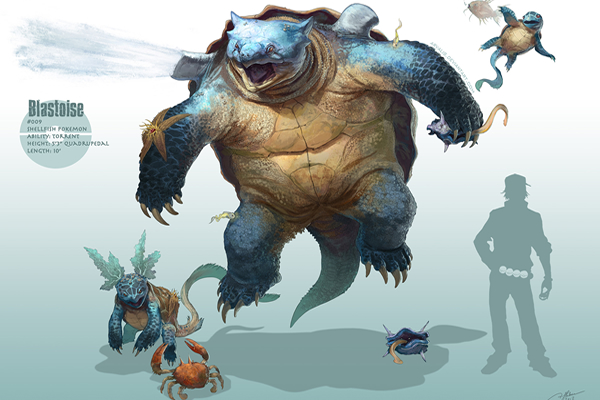
62 Realistic Pokemon Artworks You’re Gone Love

The Pokemons are adorable creatures that we all enjoy, originally drawn in a manga style… but Pokemon artworks which we will present are not necessarily adorable and cute. Thanks to illustrator Gavin Mackey, RJ Palmer and few others have used their talents in digital painting to give a new life to our idols. Their are beautiful and detailed, you would want to touch them.

In these Pokemon artworks you can find Pikachu, Charmander, Bulbasaur, Metapod, and Tartard company in a more mature, realistic and dangerous edition. And the worst part about these Pokemon artworks is that the digital illustrators are not less gifted and we appreciate getting lost in details that we never imagined watching the cartoon.

Will you be able to recognize all 40 Pokemons in this Pokemon artwork list?

There you go! You must agree that their authors put a lot of efforts to create these magnificent Pokemon artworks and give them a new life. We hope you enjoyed in them as much as we did and if you have any other Pokemon artworks which you think that should be included in here or you created some of your own, link them in comment section below or contact us.

62 Realistic Pokemon Artworks You’re Gone Love Read More »

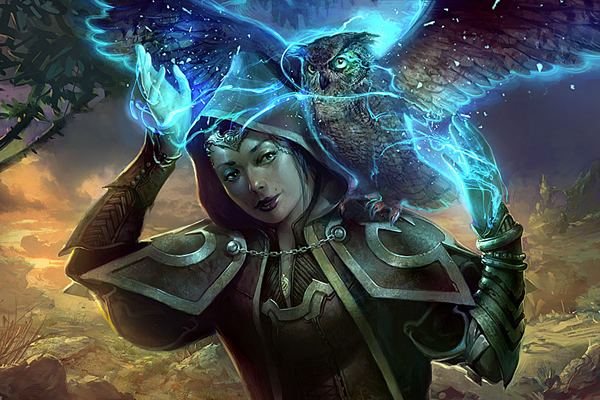
Magic Gathering Artworks: 40 Digital Paintings of the Artist Svetlin Velinov

If you are a huge fan of Magic: The Gathering, then this blog will be interesting for you. We will cover up to 40 magic gathering artwork concepts from Bulgarian illustrator Svetlin Velinov. We stumble upon these magnificent artwork concepts on his website and decided to share them with you.

The thirty years old Bulgarian already exceeded 10 years of experience as an illustrator, master’s degree in painting and also a huge portfolio of phenomenal artworks. It includes many concepts and illustrations for Magic: The Gathering cards. The reason why we decided to share these magic gathering artworks and what we particularly like about his work is that they often tell a complex scene or a story. It is surprising to imagine the scene from beginning to end, the characters look are and how they got there. In addition, the concepts of creatures and characters are often surprising and very creative. Creations worthy of a great talent!

…

Magic Gathering Artworks: 40 Digital Paintings of the Artist Svetlin Velinov Read More »

6 Web Designer Online Tools for Your Web Design Projects

Every web designer should be familiar with free web designer online tools which can save money and sometimes valuable time when working on their web projects. In this blog we are bringing you a selection of six sites offering services rather interesting.

On/Off FlipSwitch

On/Off FlipSwitch is a great web designer online tool which can help you to quickly and easily generate switch button type in pure CSS3. With few mouse clicks you can customize the color, size, active state… In addition buttons are animated!

Responsify.it

Create an adaptive grid in seconds with this free web designer online tool. Choose the number of columns, the size of the margins and break points. Once finished it only remains for you to upload your template in HTML, CSS and PNG.

Screenqueri.es

Screenqueri allows you to test your site on more than 30 pre-defined resolutions. Ideal for rapid responsive design testing. A great thing about this tool is that it already have predefined screen sizes for large number of mobile devices such as iPhone, iPad, Samsung Galaxy Series devices, HTC, BlackBerry and many other devices. You can also rotate the screen in other different positions simulating your website look when you rotate mobile device. The project is still in Beta (December 12th, 2012) and so far I didn’t find any problems or bugs.

…

6 Web Designer Online Tools for Your Web Design Projects Read More »